
To apply for a driving license online in Punjab, Pakistan, you start by visiting the official DLIMS (Driving License Information Management System) portal at dlims.punjab.gov.pk. First, create an account or log in if you already have one. Then, select whether you want to apply for a new learner’s permit or a full driving license. Fill out the application form with your personal information, including your name, CNIC, and contact details, and upload the required documents such as a copy of your CNIC, recent passport-sized photos, a medical certificate (especially for applicants over 50), and your learner’s permit if you are upgrading to a full license. Next, pay the applicable fees online or through the bank as instructed. After completing the online steps, you may need to book an appointment or visit a Police Khidmat Markaz (PKM) for verification and mandatory driving tests, including traffic rules and practical driving assessments. While the DLIMS portal simplifies much of the application process, physical visits are still required for biometric verification, vision tests, and practical exams. Always check the official DLIMS website for the latest rules, required documents, and fee updates to ensure a smooth application process.
Getting your driving license online has never been easier, and this guide is perfect for first-time drivers, busy professionals, and anyone who wants to skip the long lines at the DMV.
The online application process saves you time and lets you handle most steps from home. We’ll walk you through checking if you qualify and gathering your documents, plus show you exactly how to navigate the official portal and complete your digital application. You’ll also learn the best ways to pay your fees securely online and schedule your driving test to finish the process.
Check Your Eligibility and Prepare Required Documents

Verify age requirements for your license type
Different driving licenses come with specific age restrictions that vary by location and vehicle type. For a standard car license, most regions require applicants to be at least 18 years old, while motorcycle licenses often have tiered age requirements starting from 16 for smaller engine capacities. Commercial vehicle licenses typically require you to be 21 or older. Double-check your local Department of Motor Vehicles website or licensing authority to confirm the exact age requirements for your specific license category, as these can change and may have exceptions for certain circumstances.
Gather essential identity and address proof documents
Your application will require multiple forms of identification and proof of residence. Acceptable identity documents typically include a valid passport, birth certificate, or national identity card. For address verification, you’ll need recent utility bills, bank statements, or rental agreements dated within the last three months. Some jurisdictions accept digital bank statements, while others require physical copies.
Create a checklist of required documents early in the process. Most online portals provide a comprehensive list of acceptable documents, including alternative options if you don’t have the primary choices available. Keep both original documents and certified copies ready, as you may need to upload clear, readable scans during the online application process.
Obtain medical certificates if required
Many licensing authorities require medical clearance, especially for commercial licenses or if you’re over a certain age. Standard car licenses might need a basic vision test certificate from an optometrist or a general health clearance from your physician. Commercial licenses often require more comprehensive medical examinations covering cardiovascular health, diabetes screening, and neurological assessments.
Schedule your medical appointment well in advance, as some doctors have waiting periods for these specialized examinations. The medical certificate usually has an expiration date, so time your application to ensure the certificate remains valid throughout the licensing process.
Prepare passport-sized photographs with correct specifications
Digital applications typically require you to upload recent photographs meeting strict specifications. Standard requirements include a plain white or light-colored background, full face visibility without shadows, and no glasses or headwear unless for religious reasons. The photo dimensions are usually 2×2 inches or 35x45mm, with specific file size limits ranging from 50KB to 2MB.
Take multiple photos to ensure you have backup options that meet all requirements. Many smartphone apps can help you create compliant passport photos at home, but professional photo services guarantee proper lighting and dimensions. Save your photos in the required format (usually JPEG or PNG) and keep them easily accessible on your device for quick uploading during the application process.
Navigate the Official Online Portal
Find your state’s official DMV or transport department website
Each state operates its own Department of Motor Vehicles or transportation authority, and finding the correct official website is your first step toward successful online license application. Start by searching for your state’s name followed by “DMV” or “Department of Transportation” in your web browser. Look for websites ending in “.gov” – this extension guarantees you’re accessing the legitimate government portal rather than third-party services that might charge unnecessary fees.
Most states maintain user-friendly websites with clear navigation menus. California residents should visit dmv.ca.gov, while Texas drivers can access txdmv.gov. Florida operates through flhsmv.gov, and New York uses dmv.ny.gov. If you’re unsure about your state’s specific web address, check your state government’s main homepage, which typically provides direct links to all department services.
Be cautious of websites that appear in sponsored search results or charge fees for basic information access. Legitimate government websites provide free access to forms, requirements, and application processes. Bookmark the correct site once you’ve verified its authenticity to avoid confusion during future visits.
Create a secure user account with verified credentials
Most state DMV portals require account creation before accessing online services. Click the “Create Account,” “Register,” or “Sign Up” button typically located in the top right corner of the homepage. You’ll need to provide personal information including your full legal name, date of birth, Social Security number, and current address.
Choose a strong password containing uppercase letters, lowercase letters, numbers, and special characters. Avoid using easily guessed information like birthdays or simple sequences. Many portals now require two-factor authentication for enhanced security, sending verification codes to your mobile phone or email address.
During registration, you may need to answer security questions or provide additional verification documents. Some states require you to upload a photo of existing identification or enter information from previous licenses or state-issued IDs. This verification process prevents identity theft and ensures only authorized individuals access driving records and apply for licenses.
Complete the online registration process successfully
After creating your account, log in using your credentials and navigate to the driver’s license application section. The system will guide you through a step-by-step process, beginning with confirming your eligibility and current status. You’ll need to indicate whether you’re applying for a first-time license, renewal, replacement, or transfer from another state.
The portal will prompt you to upload required documents in digital format. Scan or photograph documents clearly, ensuring all text is readable and images are properly oriented. Most systems accept PDF, JPEG, or PNG file formats with specific size limitations.
Review all entered information carefully before submitting. Many states allow you to save your progress and return later if you need to gather additional documents or information. Once submitted, you’ll receive a confirmation number or email receipt. Print or save this confirmation as proof of your application submission and for tracking purposes throughout the approval process.
Fill Out the Digital Application Form
Enter personal information accurately and completely
Start by gathering all your personal details before you begin typing. The online form will ask for your full legal name exactly as it appears on your birth certificate or government-issued ID. Double-check the spelling of your first, middle, and last names – even a single letter error can cause delays or rejection of your application.
You’ll need to provide your complete residential address, including apartment or unit numbers. Make sure this matches your proof of residence documents. The system will also require your date of birth, Social Security number, and contact information including phone number and email address. Keep these details consistent across all sections of the application.
Physical characteristics like height, weight, eye color, and hair color are standard requirements. Be honest with these details as they’ll appear on your license and must match your appearance during testing. Some states also ask about corrective lenses, so mention if you wear glasses or contacts for driving.
Select the correct license category for your needs
Different license types serve different purposes, and choosing the wrong category can waste time and money. A standard Class D license covers regular passenger vehicles, which is what most first-time applicants need. If you plan to drive motorcycles, you’ll need a separate motorcycle endorsement or license.
Commercial drivers need CDL permits for vehicles over certain weight limits or those carrying passengers or hazardous materials. The application will present multiple options – read each description carefully. Some states offer enhanced or REAL ID-compliant licenses that require additional documentation but provide federal building access.
Age restrictions apply to certain license types. Teen drivers often start with learner’s permits before advancing to restricted or full licenses. The online system typically guides you toward age-appropriate options, but verify you meet all requirements for your chosen category.
Upload required documents in specified formats
Document upload sections can be tricky if you’re not prepared. Most portals accept PDF, JPEG, or PNG files with specific size limitations, usually between 1-5 MB per document. Scan or photograph your documents clearly with good lighting – blurry or dark images will get rejected.
Required documents typically include proof of identity (birth certificate or passport), Social Security verification, and two proofs of residence. Make sure all four corners of each document are visible in your scans. If uploading photos of documents, place them on a dark, contrasting background for better clarity.
File naming conventions matter. Use descriptive names like “birth_certificate.pdf” or “proof_of_residence_1.jpg” rather than generic camera file names. Some systems are picky about special characters in file names, so stick to letters, numbers, and underscores.
Review and verify all entered information before submission
This step prevents costly mistakes that could delay your license approval. Read through every field carefully, checking for typos, missing information, or incorrect selections. Pay special attention to numbers – transposed digits in addresses or Social Security numbers are common errors.
Verify that uploaded documents are clear, complete, and match the information you entered. If your scanned driver’s education certificate shows a different name spelling than what you typed, fix the discrepancy before submitting.
Most systems show a summary page before final submission. Print or screenshot this page for your records. Once submitted, changes become difficult or impossible without starting over. Take time to triple-check everything – rushing through this review often leads to application rejections and additional fees.
Pay Application Fees Securely Online
Choose from available payment methods and options
Most online driving license portals accept multiple payment methods to make the process convenient for applicants. Credit cards, debit cards, and net banking are the most common options available. Popular credit and debit cards like Visa, MasterCard, and American Express are typically supported, while net banking covers major banks across the country.
Digital wallets have become increasingly popular for government transactions. Many states now accept payments through PayPal, Apple Pay, Google Pay, and other mobile payment platforms. Some portals even support newer payment methods like cryptocurrency or buy-now-pay-later services, though these are less common for government fees.
The fee structure varies by state and license type. First-time applicants usually pay between $25-$50, while renewals might cost slightly less. Some states offer discounts for veterans, seniors, or students, so check if you qualify for reduced rates. Commercial license applications typically cost more, ranging from $75-$150.
Before proceeding, verify that your chosen payment method has sufficient funds or credit available. International cards may face restrictions, so contact your bank beforehand if you’re using a foreign-issued card. Keep in mind that some payment methods may include processing fees, which are displayed before you confirm the transaction.
Complete the transaction using secure payment gateways
Government websites use bank-level encryption and secure payment gateways to protect your financial information. Look for the padlock icon in your browser’s address bar and ensure the URL starts with “https://” before entering any payment details. These security features indicate that your data is encrypted during transmission.
The payment process typically redirects you to a secure third-party gateway operated by companies like Stripe, PayPal, or specialized government payment processors. This redirection is normal and adds an extra layer of security by keeping your payment information separate from the main application system.
Enter your payment details carefully, double-checking card numbers, expiration dates, and security codes. Most systems include real-time validation to catch common errors like typos or invalid card numbers. If you encounter an error message, don’t panic – simply verify your information and try again.
Two-factor authentication may be required depending on your bank’s security settings. You might receive a text message or email with a verification code, or need to approve the transaction through your banking app. This extra step helps prevent fraudulent transactions and protects your account.
Never save payment information on public computers or unsecured networks. Always log out completely after completing your transaction, and avoid using public Wi-Fi for sensitive financial transactions.
Download and save your payment receipt immediately
Your payment receipt serves as proof that you’ve completed the financial requirements for your license application. Download this document immediately after the transaction completes – don’t rely on email delivery, which can sometimes be delayed or end up in spam folders.
The receipt contains critical information including your transaction ID, payment amount, date and time of payment, and your application reference number. This information becomes essential if you need to contact customer service about your application or if technical issues arise during processing.
Save multiple copies of your receipt in different locations. Store one copy on your computer’s hard drive, another in cloud storage like Google Drive or Dropbox, and consider emailing a copy to yourself as backup. Print a physical copy if you prefer having paper records.
Name your receipt file clearly using a format like “DrivingLicense_Payment_[Date]_[Transaction_ID]” to make it easy to locate later. Some applicants create a dedicated folder for all license-related documents to keep everything organized.
Check that the receipt displays correctly and includes all necessary information before closing the payment window. If any details appear incorrect or missing, contact the support team immediately while the transaction is fresh in the system. Most payment gateways only allow receipt downloads for a limited time after the transaction, so don’t delay this step.
Schedule Your Driving Test and Complete the Process
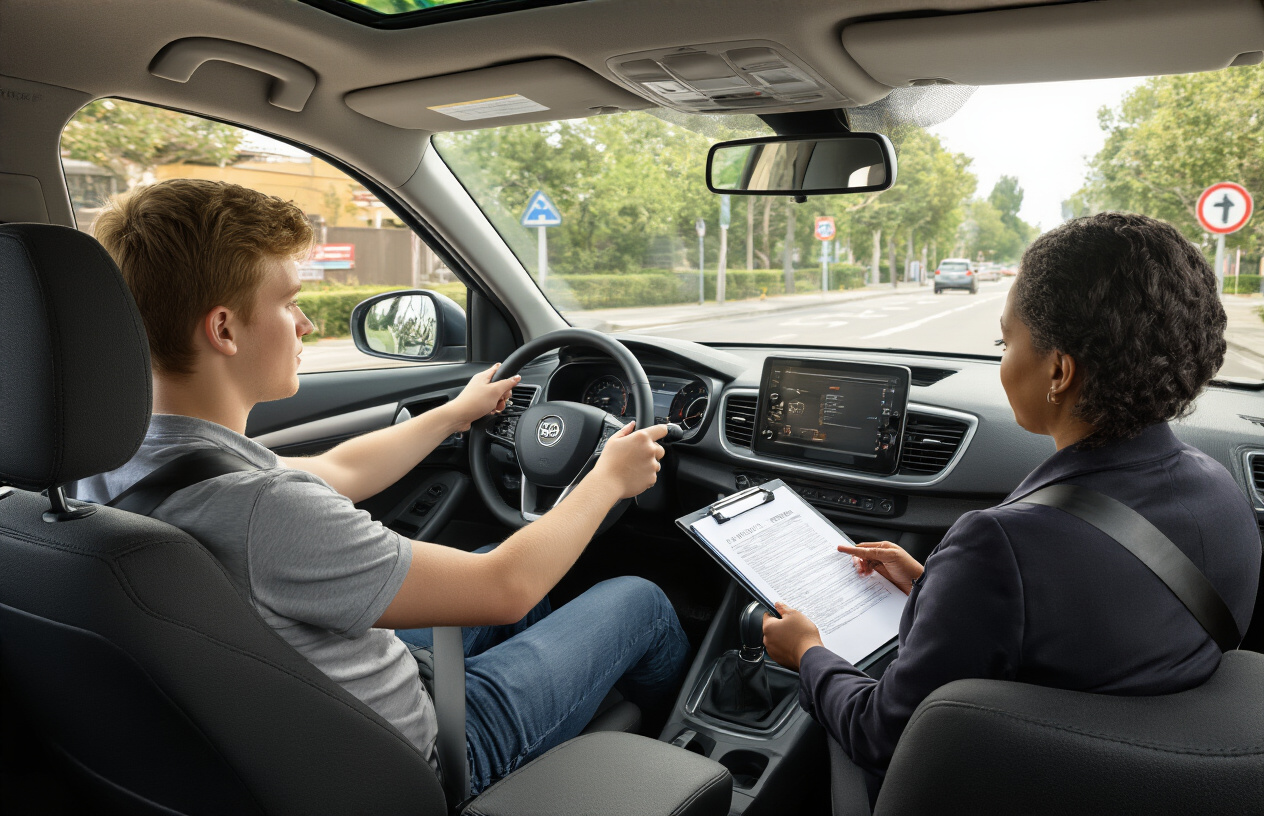
Book your learner’s permit test at convenient slots
Most online driving license portals offer flexible scheduling options that work around your busy life. When you’re ready to book your learner’s permit test, log into the portal using your application reference number. The system typically displays available time slots for the next 2-4 weeks across multiple testing centers in your area.
Peak hours like weekday mornings and weekend slots fill up quickly, so book as early as possible. Many states offer evening and weekend testing to accommodate working professionals and students. The booking interface usually shows real-time availability with color-coded calendars – green for available, yellow for limited slots, and red for fully booked.
You can reschedule or cancel your appointment up to 24-48 hours before the test date without penalties. Some portals send automatic reminders via email or SMS 48 hours and 24 hours before your scheduled test.
Schedule your practical driving test after permit approval
Once you pass your learner’s permit test, you’ll need to wait for the mandatory holding period before booking your practical driving test. This waiting period varies by state – typically ranging from 30 days to 6 months depending on your age and driving experience.
The online portal automatically tracks your permit issue date and displays your eligibility date for the practical test. When you’re eligible, the “Schedule Driving Test” option becomes active in your dashboard.
Popular testing slots book up weeks in advance, especially at convenient locations and times. Consider these booking strategies:
- Check for cancellations regularly – the system often releases last-minute slots
- Be flexible with testing centers – suburban locations typically have more availability than city centers
- Avoid booking during school holidays and summer months when demand peaks
- Morning slots often have better availability than afternoon appointments
Bring your own vehicle for the test, ensuring it has valid registration, insurance, and safety equipment. Some testing centers also offer rental vehicles for an additional fee.
Track your application status through the online portal
The online dashboard provides real-time updates on every stage of your application. Your status tracker displays key milestones including document verification, payment processing, test scheduling, and results posting.
Check these status indicators regularly:
| Status | Description | Next Steps |
|---|---|---|
| Under Review | Documents being verified | Wait for approval notification |
| Payment Pending | Fees not yet processed | Complete payment within 72 hours |
| Test Scheduled | Appointment confirmed | Prepare for upcoming test |
| Results Processing | Test completed, awaiting results | Results typically available within 2-3 business days |
| Approved | License processing initiated | Physical license will be mailed |
Most portals send automatic email notifications when your status changes. You can also enable SMS alerts for immediate updates. The system maintains a complete activity log showing timestamps for every action taken on your application.
If your status shows “Under Review” for more than the stated processing time, use the portal’s help desk feature to submit an inquiry. Include your application reference number and specific questions about the delay.
Receive your digital license and plan for physical delivery
After passing your driving test, many states now issue a temporary digital license immediately through the online portal. This digital version serves as legal proof of your driving privileges while you wait for the physical card to arrive by mail.
Download the digital license to your smartphone and keep screenshots as backup. The digital version includes the same information as your physical license: photo, license number, expiration date, and any restrictions or endorsements.
Your physical license typically arrives within 7-14 business days at the address provided in your application. The portal tracks mailing status and provides estimated delivery dates. Some states partner with postal services to offer package tracking for license deliveries.
Double-check your mailing address in the portal before final submission – incorrect addresses cause the most common delivery delays. If you need to update your address after submission, most portals allow changes up to 24 hours before the license is printed and mailed.
If your physical license doesn’t arrive within the expected timeframe, the portal usually offers options to report non-delivery and request a replacement. Keep your digital license as your primary form of identification until the physical card arrives safely.

Getting your driving license online has never been easier when you know the right steps. From checking your eligibility and gathering the necessary documents to navigating the official portal and filling out your application, the digital process streamlines what used to be a time-consuming trip to the DMV. The ability to pay fees securely online and schedule your driving test from home saves you hours of waiting in lines and gives you more control over your timeline.
Don’t let the fear of technology hold you back from taking advantage of this convenient option. Most online portals are designed to be user-friendly, and you can always save your progress and return later if you need to gather additional information. Start by visiting your state’s official DMV website today and take the first step toward getting behind the wheel legally and safely.
The Complete Guide: How Much Does It Cost to Get Your Driving License Online?
Here’s the current fee information for driving licenses (including online applications) in Pakistan, mainly based on Punjab’s official system (DLIMS) and recent updates:
Online Learner Driving License Fee (Punjab)
- Motorcycle / Motorcar: PKR 60 – PKR 100
- Light Transport Vehicle (LTV) / Heavy Transport Vehicle (HTV): PKR 100 – PKR 200
- Tractor: PKR 100 – PKR 200
(This fee is paid online through the DLIMS portal and can vary slightly by district or payment method.)
Full / Permanent Driving License Fee
To convert your learner permit into a permanent license after passing tests, you’ll usually pay additional charges. Typical fee components include:
- Test fee: small amount depending on category
- Issuance fee: varies by vehicle type
- Courier / service charges for delivery of the physical license
(Total fees depend on the vehicle category and whether you include courier costs.)
Example Driving License Fee Structure (Punjab)
| License Type | Approx. Fee (PKR) | Includes Test & Delivery |
|---|---|---|
| Motorcycle | ~930 | Yes |
| Rickshaw | ~880 | Yes |
| Car / Jeep | ~1,830 | Yes |
| Tractor (Agri) | ~1,430 | Yes |
| Light Transport (LTV) | ~2,330 | Yes |
| Heavy Transport (HTV) | ~2,330 | Yes |
(These are example totals including test and courier charges under DLIMS rates.)
Special / Digital License Cards
In some areas like Islamabad, the digital driving license card fee has been fixed at around PKR 2,000. Other types (professional licenses) can cost more due to recent fee increases.
✅ Summary:
- Online learner license application is very affordable (about PKR 60–200) if done through the official portal.
- A full driving license (after passing tests) will cost higher total fees depending on your vehicle category and service charges.
- Fees can differ by city and changes may occur, so always verify on the official government portal (e.g., DLIMS).
Getting your driving license has never been easier, but have you ever wondered about the REAL costs involved? In today’s digital world, many people are turning to online services to help them navigate the complex process of obtaining their driver’s license. From study materials to application fees, the costs can add up quickly, & understanding these expenses upfront can save you from unwelcome surprises.
Whether you’re a teenager eager to hit the road for the first time or an adult who’s been putting off getting licensed, knowing the financial commitment is crucial for planning your journey to FREEDOM on the road. The process involves multiple steps, each with its own price tag, & the total amount can vary significantly depending on your state, age, & chosen method of preparation.
This comprehensive guide will break down every possible fee you might encounter when pursuing your driving license online. We’ll explore government fees, third-party service costs, & hidden expenses that many people overlook. By the end of this article, you’ll have a clear picture of exactly how much money you need to budget for your driving license journey. Think of this as your financial roadmap to getting behind the wheel legally & confidently.
Understanding Government Fees & Official Costs
The foundation of any driving license cost discussion starts with MANDATORY government fees that every applicant must pay. These fees are set by your state’s Department of Motor Vehicles (DMV) & cannot be avoided, regardless of whether you use online services or visit in person. Most states charge between $25 to $85 for a standard driver’s license application, with some states like California charging around $39, while others like New York can charge up to $80.
Your learner’s permit, which is often the first step in the licensing process, typically costs between $10 & $50 depending on your location. This permit allows you to practice driving under supervision before taking your final road test. Some states offer ONLINE applications for permits, which might include small convenience fees ranging from $2 to $5 on top of the base permit cost.
The actual road test fee is another unavoidable expense that ranges from $20 to $90 across different states. Interestingly, some states include this fee in their initial application cost, while others charge it separately when you schedule your test appointment. If you fail your road test the first time (which happens to about 35% of first-time test takers), you’ll likely need to pay this fee again for each retake attempt.
Don’t forget about the written knowledge test fee, which some states charge separately from the application fee. This can cost anywhere from $10 to $30, & like the road test, you might need to pay again if you don’t pass on your first attempt. Many states now offer ONLINE scheduling for these tests, which sometimes includes small processing fees of $3 to $10.
Online Preparation Services & Their Pricing
Online driving education has revolutionized how people prepare for their licensing tests, but these services come with their own price tags. Popular platforms like Driving-Tests.org, DMV.org (not affiliated with government DMVs), & Aceable offer comprehensive study packages ranging from $20 to $150. These services provide practice tests, study guides, & interactive learning modules designed to help you pass both written & practical examinations.
Premium online courses often include features like UNLIMITED practice tests, detailed explanations for wrong answers, & progress tracking systems. Some services charge monthly subscriptions of $15 to $30, while others offer one-time purchases ranging from $50 to $200. The more expensive packages typically include additional resources like video tutorials, state-specific content, & mobile app access for studying on the go.
Many states now require completion of an approved driver education course, especially for drivers under 18. Online driver’s education courses can cost anywhere from $30 to $300, depending on the provider & your state’s requirements. These courses often include INTERACTIVE simulations, virtual driving scenarios, & comprehensive curriculum covering traffic laws, safety procedures, & defensive driving techniques.
Some online services also offer road test preparation through virtual reality experiences or detailed video instructions. These specialized services can cost an additional $25 to $100 on top of basic study materials. While not mandatory, many students find these resources helpful for building confidence before their actual road test appointment.
Hidden Costs & Additional Expenses You Should Know
Beyond the obvious fees, several HIDDEN costs can catch new drivers off guard during their licensing journey. Vision screening fees, required in many states, typically cost $10 to $25 if not included in your basic application fee. Some states require medical examinations or forms, which can add $50 to $150 to your total expenses, especially if you have certain medical conditions.
Documentation costs are often overlooked but can be significant. If you need to obtain certified copies of your birth certificate, social security card, or other required identification documents, expect to pay $10 to $50 per document. International students or immigrants might face additional costs for document translation or authentication services, which can range from $25 to $200 depending on complexity.
Expedited processing fees are becoming increasingly popular as people seek faster service. Many states offer RUSH processing for an additional $15 to $50, which can reduce waiting times for appointments or license delivery. Some online appointment booking systems charge convenience fees of $3 to $15 for scheduling your tests online rather than calling or visiting in person.
Don’t forget about transportation costs to your testing location. While this might seem minor, multiple trips for permits, written tests, & road tests can add up, especially if you need to use rideshare services or pay for parking in urban areas. These costs can range from $20 to $100 total depending on your location & testing schedule.
Comparing State-by-State Variations & Money-Saving Tips
The cost variations between states can be DRAMATIC, making it important to understand your specific location’s requirements. States like Montana & North Dakota tend to have lower overall costs, with total licensing expenses often under $50, while states like California, New York, & Hawaii can see total costs exceeding $150 when including all mandatory fees & typical preparation expenses.
Some states offer significant discounts for certain groups. Senior citizens, military personnel, & veterans often receive reduced fees or fee waivers. Students who maintain good grades might qualify for insurance discounts that effectively reduce their long-term driving costs. Low-income families in certain states can access fee reduction programs that cut licensing costs by 25% to 50%.
Timing your application strategically can save money in several ways. Avoiding peak season scheduling (typically summer months) might help you secure appointments faster, reducing the likelihood of needing expedited services. Some online preparation services offer seasonal discounts or promotional codes that can reduce costs by 10% to 30%.
Consider bundling your services when possible. Some online platforms offer PACKAGE deals that include permit study materials, license test preparation, & even insurance education courses for less than purchasing each service individually. Group discounts are sometimes available if multiple family members are pursuing licenses simultaneously.
Making Smart Financial Decisions for Your License Journey
Planning your driving license budget requires careful consideration of both mandatory fees & optional services that can improve your chances of success. Start by researching your state’s exact requirements & fees through official DMV websites to establish your baseline costs. This foundation will help you avoid SCAMS & overpriced services that prey on uninformed applicants.
Consider the value proposition of online preparation services carefully. While free practice tests are available, paid services often provide more comprehensive preparation that can help you avoid costly retakes. Calculate the potential savings of passing your tests on the first attempt versus the cost of premium study materials – often, investing $50 to $100 in quality preparation can save you money in the long run.
Don’t rush the process just to save on convenience fees. Taking time to properly prepare & schedule appointments during off-peak times can reduce your overall costs while improving your chances of success. Remember that getting your license is an investment in your INDEPENDENCE & future opportunities, so focus on doing it right rather than doing it cheaply.
Set aside 20% more than your calculated budget for unexpected expenses or potential retakes. This buffer will prevent financial stress if you encounter delays or need additional preparation time. Most importantly, view your licensing costs as an investment in your future mobility & opportunities rather than just an expense – the FREEDOM & opportunities that come with having a valid driver’s license far outweigh the initial costs involved in obtaining it.
Can I apply for a driving license completely online?
You can start most of the process online, including registration, learner’s permit application, fee payment, and test booking. However, you must still visit the test center for biometric verification and the practical driving test.
What is a learner’s permit?
A learner’s permit allows you to practice driving legally for a limited time before applying for a permanent driving license.
How long is a learner’s permit valid?
In most regions, a learner’s permit is valid for 30 to 60 days (for example, 42 days in Punjab, Pakistan).
What documents are required to apply online?
You usually need:
National ID card (CNIC)
Passport-size photographs
Medical fitness certificate
Proof of address (if required)
Complete Guide to Driving License Online Application in Punjab Pakistan 2026
Applying for a driving license online in Punjab, Pakistan has become a seamless process, thanks to the government’s digital initiatives. With the launch of the Driving License Information Management System (DLIMS), residents can now complete almost all steps of their driving license application digitally, minimizing the need for multiple visits to police stations or licensing authorities. This guide provides a detailed, step-by-step approach for both new applicants and license renewals, ensuring you complete the process efficiently and without errors.
Understanding the Driving License Process in Punjab
The driving license application process in Punjab is divided into several key steps:
- Learner’s Permit Application: Before obtaining a full driving license, new drivers must apply for a learner’s permit.
- Medical Examination: Applicants are required to submit a medical fitness certificate, which confirms that they are physically fit to drive.
- Driving Test: Once the learner’s permit is issued, applicants must pass a driving test. This includes both theoretical knowledge and practical driving skills.
- License Issuance: After successful completion of the driving test, applicants receive their full driving license.
Each step is carefully managed through the DLIMS portal, streamlining the entire process.
Step-by-Step Guide to Apply Online for a Driving License in Punjab
Step 1: Registration on DLIMS Portal
To begin, visit the official DLIMS Punjab portal. New users must create an account using a valid CNIC (Computerized National Identity Card) and provide accurate personal details. Ensure your CNIC is active and your name matches official records to avoid delays.
- Click on “Sign Up” and fill in your CNIC details.
- Verify your account via OTP sent to your registered mobile number.
- Complete your profile by adding your full name, date of birth, and contact information.
Step 2: Submit Application for Learner’s Permit
Once registered, navigate to “Apply for Learner’s Permit”. You will need:
- A recent passport-sized photograph.
- Medical fitness certificate issued by a registered doctor.
- Your CNIC and proof of residency.
Applicants must also select the type of vehicle license they are applying for, such as:
- Motorcycle
- Car / Light Vehicle
- Heavy Transport Vehicle (HTV)
Payment of fees is completed online through bank transfers or digital payment methods provided on the portal.
Step 3: Schedule a Driving Test
After submitting the learner’s permit application, applicants can schedule a driving test at their nearest Police Khidmat Markaz (PKM). The DLIMS system provides:
- Available test dates and locations
- Confirmation of your appointment
- Guidelines on practical driving test routes
Tip: Choose a test center close to your location to reduce travel stress and ensure timely attendance.
Step 4: Prepare for the Driving Test
The driving test in Punjab has two main components:
- Theoretical Test: This tests your knowledge of traffic rules, road signs, and regulations. Many candidates prepare using online resources, books, and sample tests.
- Practical Driving Test: Evaluates your ability to control the vehicle safely, follow traffic signals, and navigate common road situations.
Applicants are advised to practice extensively on both local roads and test tracks to increase their chances of passing on the first attempt.
Step 5: Issuance of Driving License
After successfully passing the driving test:
- Log in to DLIMS and check your application status.
- The system will generate your official driving license digitally.
- You may choose home delivery or pick up from the PKM office.
Note: The digital driving license is legally valid across Pakistan, and it can also be downloaded via the DLIMS mobile app for convenience.
Renewal of Driving License Online in Punjab
Existing license holders can also renew their driving license online. The process is simple:
- Log in to your DLIMS account.
- Navigate to “Renew License”.
- Submit any updated medical certificates if required.
- Pay the renewal fee online.
- Choose delivery or collection method for the renewed license.
Important: License renewal can be done before expiry to avoid penalties.
Required Documents for Online Driving License Application
To ensure a smooth process, keep the following documents ready:
- Valid CNIC
- Recent passport-size photographs
- Medical fitness certificate
- Proof of residence (utility bills, rental agreement)
- Previous license (for renewals)
Having these documents ready will prevent delays in processing.
Common Issues and How to Resolve Them
While the online system is efficient, applicants may face certain challenges:
- CNIC mismatch: Ensure your CNIC details match your official records.
- Photo rejection: Upload photos that meet DLIMS specifications (clear, recent, no edits).
- Payment failure: Use official digital payment methods recommended on the portal.
- Test scheduling errors: Contact your nearest PKM office if you face issues with appointment slots.
Staying proactive and verifying details carefully can significantly reduce processing time.
Tips for a Successful Online Application
- Double-check all information before submission.
- Keep digital copies of your documents for quick reference.
- Practice driving extensively before scheduling a test.
- Track your application on DLIMS regularly to avoid missing updates.
- Maintain medical fitness certificate validity to prevent rejection.
By following these tips, applicants can maximize their chances of obtaining a driving license on time.
Advantages of Applying Online for Driving License in Punjab
The online system offers numerous benefits over traditional manual applications:
- Time-saving: Reduce the need for multiple visits to licensing authorities.
- Transparency: Real-time tracking of application status.
- Convenience: Apply from home anytime.
- Digital Record: Licenses can be downloaded and stored digitally.
- Reduced Errors: Online forms minimize manual data entry mistakes.
These advantages make DLIMS the preferred method for driving license applications in Punjab.
Conclusion
The online driving license application system in Punjab has transformed the way residents apply for and obtain their driving credentials. By carefully following the steps outlined above and ensuring all documentation is accurate, applicants can secure their learner’s permit, pass driving tests, and receive their full driving license efficiently. Staying informed and using the DLIMS platform effectively ensures a smooth, fast, and reliable experience.
Driving License Online in Pakistan 2026: Complete Guide
Applying for a driving license online in Pakistan has become easier than ever. With the digital transformation in government services, residents can now apply for a new driving license, renew an existing license, or even upgrade from a learner’s permit online through official portals. This comprehensive guide covers everything you need to know about the Driving License Online application process, including step-by-step instructions, fees, required documents, contact details, and useful tips.
What is Driving License Online?
Driving License Online refers to the process of applying for a driving license through official government portals instead of visiting physical offices. In Pakistan, most provinces, including Punjab, Sindh, Khyber Pakhtunkhwa, and Balochistan, have introduced digital platforms to facilitate the application process.
Key advantages of Driving License Online include:
- Convenience: Apply from home anytime.
- Time-Saving: Avoid long queues at licensing centers.
- Transparency: Track your application status online.
- Digital Records: Obtain a downloadable soft copy of your license.
Step-by-Step Process to Apply for Driving License Online
Step 1: Registration on Official Portal
- Visit the official driving license portal of your province:
- Punjab: DLIMS Punjab
- Sindh: Sindh Driving License Portal
- Register using your CNIC number and active mobile number.
- Verify your account through the OTP sent to your phone.
- Fill in your personal details, including full name, date of birth, and address.
Step 2: Upload Required Documents
Prepare the following documents before applying:
- Valid CNIC
- Recent passport-size photographs
- Medical fitness certificate issued by a registered doctor
- Proof of residence (utility bill or rental agreement)
- Previous license (if renewing or upgrading)
Upload clear and accurate digital copies to avoid delays.
Step 3: Choose Type of Driving License
You must select the type of vehicle license you need. Common types include:
- Motorcycle (MC)
- Car / Light Vehicle (LV)
- Heavy Transport Vehicle (HTV)
- Public Service Vehicle (PSV)
The fees vary depending on the type of license and duration.
Step 4: Pay Application Fee
Fees can be paid online through digital banking, mobile wallets, or at authorized bank branches. Below is a detailed fee structure table:
| Type of License | Application Fee (PKR) | Test Fee (PKR) | Total Fee (PKR) |
|---|---|---|---|
| Motorcycle (MC) | 500 | 300 | 800 |
| Car / Light Vehicle (LV) | 1000 | 500 | 1500 |
| Heavy Transport Vehicle | 1500 | 700 | 2200 |
| Public Service Vehicle | 2000 | 1000 | 3000 |
Note: Fees may slightly vary by province or updated government regulations. Always confirm on the official portal.
Step 5: Schedule Driving Test
After completing the application and fee payment:
- Schedule a practical driving test at your nearest Police Khidmat Markaz (PKM) or provincial testing center.
- The test generally consists of:
- Theoretical test on traffic rules, road signs, and safety regulations.
- Practical driving test evaluating your driving skills.
- Check the available dates and times on the online portal and select a convenient slot.
Step 6: Take Driving Test
- Arrive early at the test center with your learner’s permit, CNIC, and confirmation slip.
- Follow all road safety rules during the practical test.
- Pass the test to qualify for the full driving license.
Step 7: Download or Collect Driving License
After successfully passing the driving test:
- Log in to your portal account.
- Check your application status and download the digital license if available.
- You may also opt for home delivery or collection from PKM.
Digital licenses are valid nationwide and recognized by law enforcement agencies.
Renewal of Driving License Online
Renewing your driving license online is straightforward:
- Log in to your account on the provincial portal.
- Navigate to “Renew License”.
- Upload updated medical certificate if required.
- Pay the renewal fee online.
- Download the renewed license or choose a pickup/delivery option.
Tip: Renew before expiry to avoid penalties.
Contact Information for Assistance
For any inquiries, you can contact the relevant provincial authorities:
- Punjab (DLIMS)
- Helpline: 042-99270101
- Email: [email protected]
- Sindh
- Helpline: 021-99222244
- Email: [email protected]
- Khyber Pakhtunkhwa
- Helpline: 091-9215012
- Email: [email protected]
Official websites provide live chat and support for online applicants.
Tips for Successful Online Application
- Ensure all CNIC details are accurate and match official records.
- Upload high-quality photos according to portal specifications.
- Prepare for the theoretical test using online guides and practice tests.
- Schedule practical tests early to avoid delays.
- Keep digital copies of all submitted documents.
Following these tips ensures a smooth and timely license application process.
Advantages of Driving License Online
- Ease of Access – Apply anytime from home.
- Efficiency – Avoid waiting in long queues.
- Transparency – Track your application status in real-time.
- Security – Digital storage reduces the risk of document loss.
- Quick Updates – Receive notifications on test schedules and results.
The online system has simplified the driving license application process, saving time and improving overall efficiency.
Conclusion
Applying for a driving license online in Pakistan is now faster, safer, and more transparent than ever. With the digital portals in every province, you can complete registration, document submission, fee payment, and test scheduling online. By following this guide carefully, applicants can ensure error-free applications and timely issuance of their driving licenses.
Created with AIPRM Prompt “Write Best Article to rank on Google”
Complete Guide: How to Apply for a Pakistan Driving License Online 2026 – All Questions Answered
Applying for a Pakistan driving license online in 2026 has become a convenient and efficient process with the digital portals launched by provincial authorities. From learner permits to full licenses, and even renewals, applicants can now manage the entire process online. This comprehensive guide answers all common questions and provides a step-by-step approach, including fees, documents, and test scheduling.
How to Apply for a Pakistan Driving License Online 2026
Applying for a driving license online is simple and can be done through official portals of each province. The main steps include:
- Registration on the official portal
- Submitting personal information
- Uploading required documents
- Paying the license fee online
- Scheduling and passing the driving test
- Downloading or receiving the digital license
Step by Step Guide to Apply Driving License Online in Pakistan
Step 1: Open the Official Driving License Portal
- Punjab: DLIMS Punjab
- Sindh: Sindh Driving License Portal
- KPK: KPK Driving License Portal
- Balochistan: Contact your local traffic office for portal access
Always ensure you are on the official website to avoid scams.
Step 2: Create Your Online Account
- Click “Sign Up” or “Register”.
- Enter your CNIC number and active mobile number for OTP verification.
- Verify your account via OTP.
- Complete your profile with accurate personal details.
Step 3: Access Your Dashboard
Your dashboard allows you to:
- Apply for a new license or learner permit
- Schedule a driving test
- Renew your existing license
- Track your application status
Step 4: Enter Complete Information
Provide accurate details such as:
- Full legal name
- Date of birth
- Complete residential address
- Vehicle type for which you want a license (Motorcycle, Car, HTV, PSV)
Correct information ensures smooth processing and avoids rejections.
Step 5: Upload Required Documents
Prepare and upload the following:
- Valid CNIC
- Recent passport-size photograph
- Medical fitness certificate
- Proof of residence (utility bill, rental agreement)
- Previous driving license (if renewing or upgrading)
Tip: Make sure all documents are clear and meet portal specifications.
Step 6: Pay Your License Fee Online
Payments can be made through bank transfer, mobile wallets, or debit/credit cards. Below is a detailed fee structure for 2026:
| License Type | Application Fee (PKR) | Test Fee (PKR) | Total Fee (PKR) |
|---|---|---|---|
| Motorcycle (MC) | 500 | 300 | 800 |
| Car / Light Vehicle (LV) | 1000 | 500 | 1500 |
| Heavy Transport Vehicle (HTV) | 1500 | 700 | 2200 |
| Public Service Vehicle (PSV) | 2000 | 1000 | 3000 |
Step 7: Schedule Driving Test Online
- Choose a test date and center through the portal.
- Test includes:
- Theoretical exam – traffic rules, road signs, regulations
- Practical driving test – road handling and control skills
Step 8: Take the Driving Test
- Arrive at the center with your learner permit, CNIC, and confirmation slip.
- Follow all instructions and road safety rules.
- Upon passing, your license status is updated online.
Step 9: Download or Collect Your Digital License
- After passing, log in to download your digital license.
- Optionally, choose home delivery or pick it up from the center.
Digital licenses are valid nationwide.
Renewing Driving License Online in Pakistan 2026
- Log in to your portal account.
- Select “Renew License”.
- Upload updated medical certificate if required.
- Pay the renewal fee online.
- Download or request delivery of your renewed license.
Renew before expiry to avoid fines.
Pakistan Driving License Online Registration Portal
Each province has a dedicated online portal:
- Punjab: DLIMS Punjab
- Sindh: Sindh eServices
- KPK: KPK Online License
- Balochistan: Local traffic department website
These portals allow full online processing, including fee payment and test scheduling.
Driving License Categories Online Pakistan
- Motorcycle (MC)
- Car / Light Vehicle (LV)
- Heavy Transport Vehicle (HTV)
- Public Service Vehicle (PSV)
Choose the category according to your vehicle type.
Check Driving License Status Online Pakistan
After applying, track your license status online via your dashboard to see updates like:
- Application processing
- Test scheduling
- License issuance
Apply for Learner Permit Online in Pakistan
- Register on the portal.
- Upload documents and medical certificate.
- Pay fees for learner permit.
- Schedule learner’s driving test.
A learner permit is required before applying for a full license.
Apply Heavy Transport Vehicle License Online Pakistan
- Must have minimum age and experience requirements.
- Medical certificate is mandatory.
- Submit application, pay fees, and schedule a specialized HTV driving test.
Download Digital Driving License Pakistan
- After passing your test, log in to download the official license.
- Keep a soft copy on your phone for verification anytime.
Online Payment for Driving License Pakistan
- Payments are completed securely online.
- Methods include bank transfers, mobile wallets, and cards.
- Always retain the payment receipt for reference.
Pakistan Driving License Online Application Contact Details
- Punjab (DLIMS): 042-99270101, [email protected]
- Sindh: 021-99222244, [email protected]
- KPK: 091-9215012, [email protected]
These contacts help with portal issues, test scheduling, and document verification.
Best Way to Get Driving License Online in Pakistan
- Prepare all documents beforehand
- Use official portals only
- Fill in accurate personal information
- Practice for both theory and practical tests
- Pay fees online and schedule tests early
Following these steps ensures a smooth and quick process.
Conclusion
The Pakistan driving license online application process has simplified the journey from learner permits to full licenses. With official portals available in every province, applicants can register, upload documents, pay fees, schedule tests, and download digital licenses without visiting offices. Following this step-by-step guide ensures error-free applications and timely issua
1. How to apply for a driving license online
This keyword refers to the complete online process of getting a driving license without visiting offices repeatedly. It usually includes checking eligibility, creating an online account, filling out forms, uploading documents, paying fees, booking tests, and tracking application status through an official government portal.
2. Online driving license application
This means submitting your driving license request digitally through a government website or mobile app. Instead of paper forms, the entire application is completed online, saving time and effort.
3. Driving license online apply 2025
People use this keyword to find the most updated rules, fees, and procedures for applying for a driving license in the current year. It helps avoid outdated information from previous years.
4. DLIMS driving license online
DLIMS (Driving License Issuance Management System) is Punjab’s official online system. This keyword is used by people who want to apply for learner licenses, permanent licenses, renewals, test bookings, and license verification through DLIMS.
5. Apply for learner license online
A learner license is a temporary permit that allows beginners to practice driving legally. This keyword refers to the online process of applying for this license, which usually involves basic personal details, an online test, and downloading the learner permit.
6. Driving license online Pakistan
This keyword is used by people searching for online license procedures across Pakistan. It includes provincial systems like Punjab, Sindh, KPK, and Islamabad, each with its own portal and rules.
7. How to register for driving license online
Before applying, users must register on an official portal. This keyword focuses on account creation steps such as entering CNIC details, phone verification, email confirmation, and setting up a login ID.
8. Online driving license step by step
This is searched by beginners who want a clear, easy guide. It usually explains each stage in order, from registration to test booking, fee payment, and license collection or delivery.
9. Driving license application form online
This refers to the digital form that replaces traditional paper forms. The online form collects personal details, address, blood group, license category, and other required information.
10. Download learner license online
After approval, the learner license can often be downloaded and printed. This keyword is used by people who want to get their learner permit immediately instead of waiting for a physical copy.
11. Online driving test booking
Once eligible, applicants must book their driving test. This keyword refers to selecting a test date, time, and location online, making the process organized and transparent.
12. Renew driving license online
When a driving license expires, it can be renewed digitally. This keyword covers online renewal steps, fee payment, document upload, and sometimes home delivery of the renewed license.
13. Check driving license status online
Applicants use this keyword to track whether their application is under review, approved, rejected, or ready for collection. It helps reduce unnecessary visits to offices.
14. Driving license portal Punjab / Sindh
Each province has its own online system. This keyword refers to official provincial websites where residents can apply, renew, verify, or download licenses.
15. E-license online Pakistan
An e-license is a digital version of a driving license available on mobile or as a PDF. This keyword is used by people who want quick digital proof of their driving eligibility.
16. DLIMS Punjab license apply
This keyword specifically targets Punjab residents applying through DLIMS. It includes learner permits, permanent licenses, renewals, and duplicate licenses.
17. DLIMS learner license download
After passing the learner test, DLIMS allows users to download their learner license. This keyword focuses on accessing and printing the permit online.
18. Driving license online Punjab
This refers to all online driving license services available in Punjab, such as application, test booking, renewal, verification, and e-license downloads.
19. DLIMS.punjab.gov.pk apply
This keyword directly points to the official Punjab DLIMS website. Users search this term to ensure they are using the correct and authentic government portal for license services.